

- 13 Posts
- 21 Comments
 102·3 months ago
:D

Just a stupid question - Is self-hosting (and this forum) only applies to open source products?
At first I didn’t noticed the 2nd image, and started wondering what kind of children book this is :P
My Nextcloud AIO :)

I though Signal Android client is open source and I can changed the server url if I can get server selfhosted.
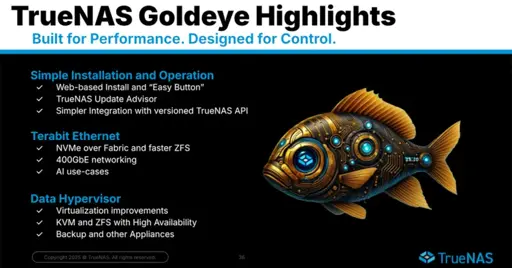
This was also my go to website when I purchased my Raspberry Pi and setting it up. Good memories :)
Easiest way I think is : https://ubuntu.com/appliance/nextcloud/raspberry-pi or https://github.com/nextcloud/nextcloudpi/releases
Note: In my case (Overclocked Raspberry Pi4B + SSD), I manually installed Nextcloud using docker (https://hub.docker.com/_/nextcloud/) and used for a year.
As others have pointed out (and so is my experience), the performance will be okayish; the main issue you will encounter is thumbnail generation being quite slow (even with overclocked Raspberry Pi).
Couple of suggestions: Try to keep the installation slim, avoid too many addons/ extra packages.
Also, make sure your Raspberry Pi is connected to LAN and not via Wireless. As that will help with at least improving network throughput.
I recently migrated to old laptop based homelab setup and installed Nextcloud AIO, and the throughput is significantly higher as it should be over LAN.
Cloudflare Tunnel is a good fit to your use case. You only need a domain name to expose your web server via Cloudflare.
https://developers.cloudflare.com/cloudflare-one/connections/connect-networks/
I’m running the following apps as docker container on a 12+ years old Alienware M14x R2 ( spec: https://dl.dell.com/manuals/all-products/esuprt_laptop/esuprt_alienware_laptops/alienware-m14x-r2_reference guide_en-us.pdf).
Upgraded RAM to 16 GB, and replaced HDD with internal SSD for better system throughput.
Instead of Wi-Fi, I connected it to LAN for better network throughput.
The performance is good for me and my wife even though I’m running it in power saving mode.
OS: Ubuntu Server 24
Apps: (On rootless docker)
- Nextcloud AIO
- Jellyfin
- Vaultwarden
- AdGuardHome
- DrawIO
- IT-Tools
- SearxNG
- LibMedium
- Traefik
- Linkwarden
- Squid
- Quetre
- Portainer
- Transmission
When working remotely, I’m using Tailscale to access it.
I tried maybe, Actual budget but then settled on GNU Cash (Native Linux app).
Any way to run the server as a docker container?
If you want to expose a container based service just for yourself over internet, you can -
-
If you have static IP4 or IPV6 - Setup Wireguard VPN on your homelab/server, and wireguard client on client devices[1].
-
If you are behind NAT or CGNAT - either Cloudflared Tunnel[2] or Tailscale[3].
In either scenarios, you need to setup firewall of your server to allow connection from LAN to port of your docker container/services. By default you should set your firewall to block all incoming request from anywhere except LAN.
I’m personally using Cloudflared Tunnel, but planning to migrate to Tailscale.
[1] https://www.digitalocean.com/community/tutorials/how-to-set-up-wireguard-on-ubuntu-20-04
[2] https://developers.cloudflare.com/cloudflare-one/connections/connect-networks/
-
AdGuardHome is also self-hosted and does have this feature.
Actually in my cases, I have to block Facebook on all of my devices, but want to allow it for rest of my family members. So, I know its possible in AdGuardHome.
https://github.com/AdguardTeam/AdGuardHome

For which self-hosted app? Invidious?
Unless you are routing traffic through a VPN.
That’s correct. Thanks for the correction.
- AdguardHome/Pi-Hole (for DNS Filter)
- DrawIO (MS Visio equivalent)
- Invidious (Youtube privacy frontend)
- SearxNG (Google Privacy frontend)
- Vaultwarden (Self-hosted Bitwarden server)
- Miniflux (RSS Reader)
- linkWarden (Link aggregator)
Also, checkout https://selfh.st/apps/
“Requires to create an account” for what exactly? I’m a long term Ubuntu user without any Ubuntu one account.
Ubuntu Core, to be specific.



Somehow it rings home :-)