cross-posted from: https://lemmy.world/post/49429587
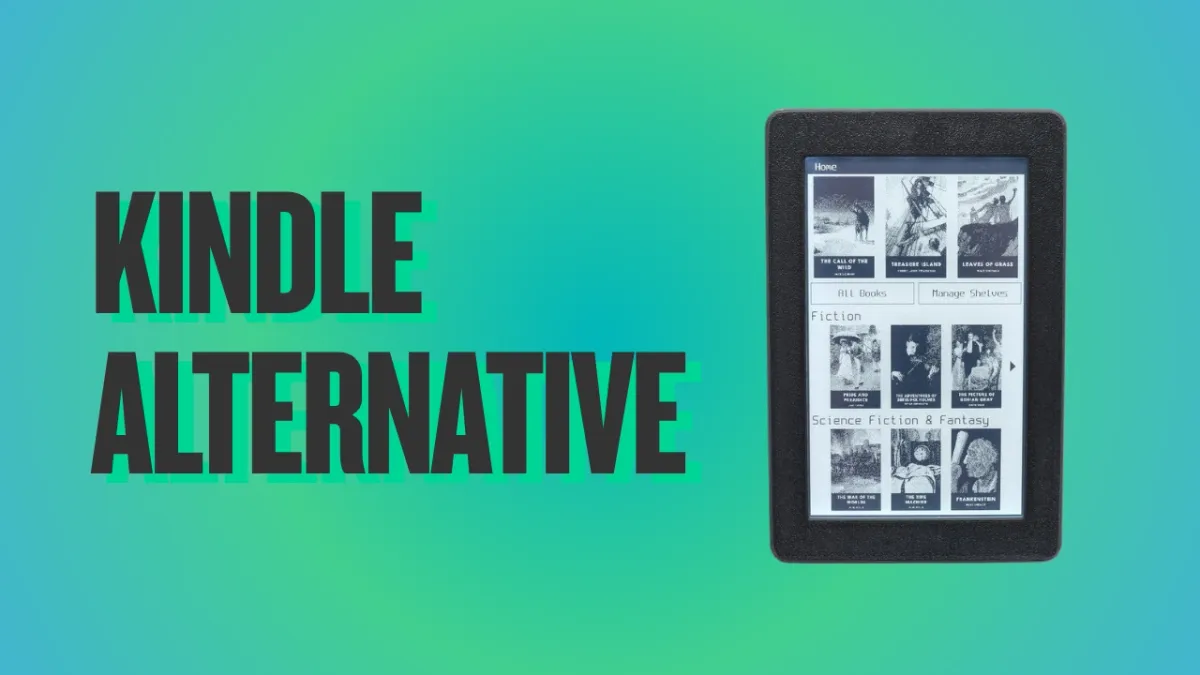
URL for the crowdfunding: https://www.crowdsupply.com/oddly-specific-objects/open-book-touch
Specs:
- Display: 4.26" e-paper touchscreen, 480 × 800 px, warm + cool frontlight
- Processor: ESP32-S3 dual-core, Wi-Fi + Bluetooth LE
- Memory: 16 MB flash, 8 MB PSRAM
- Formats: EPUB and plain text, no DRM
- Storage: microSD card slot
- Interface: USB-C with integrated LiPo charging
- Dimension: 78 × 120 × 10 mm, about 85 g
- Open source: MIT-licensed firmware, open hardware (to be released at shipping)
It also has a replaceable 800 mAh battery, I found it cool :)
If they are targeting the tiny ebook reader niche, they’re going to have to do better on features and pricing than the upcoming refresh of the XTEINK devices.
Exactly, I just got a 4" model and it was 1/3 this price and has buttons and also had better open source firmware I could load on it.
They aren’t even doing better than the current generation. Their version is more than double the price of the X4 and has the same screen and SoC.
But XTEINK is actively working to combat the flashing of open source software. It seems they had a spike in sales and interest due to their affordable hardware, but if they continue to lock aftermaket software out tech savvy people will be looking for different options.
Do you have a link to an article or something about that?
I was interested in them but all the listings on AliExpress expressly said they didn’t support custom firmware. I started looking into it and it seems to be something theu did after they got popular.
Here’s some info, but a lot of it is scattered around online communities: https://pocketink.io/blog/xteink-locked-or-unlocked-buying-guide/
Thanks! I bought one months ago and flashed crosspoint at the time.
But nice that you can still flash them via SD card even if they are USB locked. I guess it would be difficult to fully lock them given they just run an ESP32
Update: I just saw that CrossPoint has has an affiliate link, and that if you buy the reader direct from the manufacture you can still get unlocked USB devices. It’s only on the international stores like AliExpress that you may get a crippled version. https://github.com/crosspoint-reader/crosspoint-reader
Very similar to https://diptyx.dev/
But its been around longer. Software looks really good for an esp32. Im hoping we see more of these open source ebook readers pop up.
Ooh, I like the clamshell design. Most people seem to use a flip cover for their eReaders anyway, may as well put a screen in it. 3Ah of battery is also a huge upgrade compared to the OP’s 800mAh or the XTEink X4’s 650mAh.
Lots of people complaining about buttons, but most people are fine without them.
This thing will fail because of the tiny screen, not because of the lack of buttons.
Sad choice.
Hi, if you don’t mind sharing; What do you feel is the conversion feature from kindle? I am developing on a platform with novels and want to develop user centric features; I have feature where you get assisted highlighting of words with auto scroll so you can “follow the word” and read.
I have the architectural design in place to incorporate tts for example but would love feedback from the reading communities
Conversion feature being?
Anything that converts a guest to a user due to the offering / features
I doubt the screen size is an issue for most. The Xteink X4 is about 4 inch and is flying off the shelves right now
Fair, it is selling very well now. But strong sales after a viral release doesn’t neccisarrily mean a market norm. Could be an interesting market trend if it starts a shift to smaller, though.
Will it handle DRM?
It’s DRM-free by design. Any book you want to use in it will need to have it stripped off.
Why buttonless? I like buttons.
Heck, a scroll wheel would be a killer feature
Buttons and scroll wheels cost more than touchscreens at this point… 90s me wanted touchscreens on everything, and me since maybe 2015? has been firmly “bring back buttons”
…whenever they started replacing useful things that SHOILD be buttons always (car) with touch things. Absolutely not bueno.
The cheapest Pockeboot model always had buttons (and touch screen). The more expensive ones are always touch screen only. I never got it. Buttons are a nice feature, why remove them in higher end models?
Buttons and scroll wheels cost more than touchscreens at this point…
It’s not that they cost MORE, they can be sub-cent per unit if you buy enough of them:
For just the part yes. Board design, programming, and manufacture costs increase with more components.
Of course they cost MORE than putting all their functions on a tiny touch screen that’s already gonna be on the device!
Beyond manufacturing the device to be able to use separate physical moving pieces, you’ve also got costs supporting pieces that break in warranty, units damaged in shipping due to moving parts being tossed around, etc.
My Kobo only has a power button and it’s perfect for my needs.
My kobo has a power button, and two page turn buttons and its perfect for my needs.
Seriously, I have 4 (5 if you count the ancient kindle DX) ereaders, and the kobo is the only one I use. Will never again buy one without buttons
It’s not that hard to tap the screen to turn a page lmao
Hard, no. Uncomfortable, yes.
I’m really not looking to move my fingers much when I read. What am I supposed to do, rest my finger on the display so I can turn the page and skip 15 words per page?
You’ve never read a real book in your life?? You do that every time you turn a real page. Quit being a baby.
Don’t know what you gain by calling names.
Different people have different likes. Its really not a hard concept. Have a fine day 👋
At that point, why not just read a real book??
My whole reason for using an ereader is to eliminate the parts of reading physical books that annoys me, why would I buy a subpar reader that makes me do or simulates doing the actions I want to avoid?
Quit being a baby.
Quit acting like a child that thinks everyone should think the way you do.
You make it sound as if moving your finger a few millimeters to tap on the screen then back to the frame is as exhausting as running a marathon. My touchscreen reader is 13 years old and I never even thought about this process.
No, I didn’t say exhausting, I said uncomfortable. I bought my first ereader in 2009, and a lot of then in the meantime, I had devices with only buttons, only toucscreen, and both.
Using buttons for page turns is the most comfortable for me. I do appreciate a touchscreen to configure the device, select books, etc.
I prefer physical media, but I appreciate the utility of ereaders. I, too, would prefer buttons if I used an ereade with any frequency; I still lament the disappearance of them from my phone!
However, in case this is a problem you really need fix: my wife is an avid ereader user. She didn’t like the page turning for many of the reasons you listed, so she bought a ring that has Bluetooth and a singular button. The ring connects to your reader, then when you press the button, simulates a click or screen tap. You get the page turning experience it sounds like you want and, after setup, the only thing you need to physically exert at all is your thumb.
Damn, at 10mm thickness that’s a chubby little SOB, nearly twice as fat as my leaf 2. And with a tiny 4.26" screen on top of that, yikes…I love my 7" screen, I’d hate to read on a screen smaller than that.
That’s what she said
If course she did, no one likes reading on a small screen, it’s terrible.
Still smaller than a novel and too thin and you can get hand cramps.
I’ve found the 6mm thickness is perfect for my hands, granted I have a medium-sized male hand and not a huge grappler. 10mm thickness is a little too thick IMO for a nice feeling, but not a deal breaker. The very small screen is a definite deal breaker for me though.
Why did I read that as 150 buttholes?
Why is “buttonless” being said like a good thing?
It’s a fact? It has no buttons. God or bad
Yes, but my point was that it was stated in a way like a feature being touted as opposed just a statement of fact, Maybe my impression was wrong, but “buttonless” immediately put me off from the device.
Might be listed as a warning for those of us that prefer button interfaces
Because buttons take space, reducing space available for the screen that has, well, the book.
The good sensor is the answer, IMO. I only wonder how should it turn on and off, then.
Hall sensor/ reed switch and it turns off when it’s idle or the case closes?
Maybe
Buttons can go on the side or back…
Sure. But would that be convenient?
I hold nothing against buttons if people really want them, but many others would just prefer a larger touchscreen, and this seems to be the target audience here.
Yes. Buttons on the sides are awesome. The Kobo libre ergonomics are fantastic even for troll-handed people like myself.
I think it is definitely a matter of preference. I dislike touchscreens in general for user interfaces. I previous ereader used a touchscreen and swiping to turn pages and I absolutely hated it. I was glad to get back to having buttons to control pages as well as settings.
Having a space with no display where I can actually hold the reader makes it so much better, for me
yeah I like buttons and connectors. You can put plenty without making a chunky device.
But I want buttons. Without buttons I always do the wrong gesture.
I read on a kindle on my bed before going to sleep, and everytime I stretch or turn over the font size changes or it advances a couple of pages. It’s slowly driving me insane.
Okay, but… Isn’t pocketbook good enough?
Can I use a pocketbook with my self hosted OPDS server? My wife uses the Onleihe function it offers out of the box, but I would want to connect it to my book server.
I haven’t used anything like that, but a quick search brought up this:
You can install KOReader on Pocketbook ereaders (no jailbreak required), which supports OPDS
Pocketbook is great, and runs Linux out of the box. But it’s not available globally
Aditional, Pocketbook can handle your public libary app, to read downloaded books from your public libary.
Not a huge fan of the size of the screen, but it seems nice otherwise. I actually appreciate it being a little thicker because I have big hands and gripping thin things hurts after awhile.
Buttonless ? Fuck that 😅 I want at least a home button and page turning buttons…
There is this as well which is cheaper and uses RISC-V instead
https://www.xteink.com/products/xteink-x4
Both look like great options though.
I’ve heard good things about the xtink stuff, and they have buttons.
I have the xteink X4, and I adore it. Open source firmware you flash onto it yourself (crosspoint), based on esp32, much cheaper than this thing. Tiny device fitting easily into your pocket and so it goes with me everywhere and I use it all the time. Big recommend.
I have an German Tolino nice system