cross-posted from: https://lemmy.world/post/49429587
URL for the crowdfunding: https://www.crowdsupply.com/oddly-specific-objects/open-book-touch
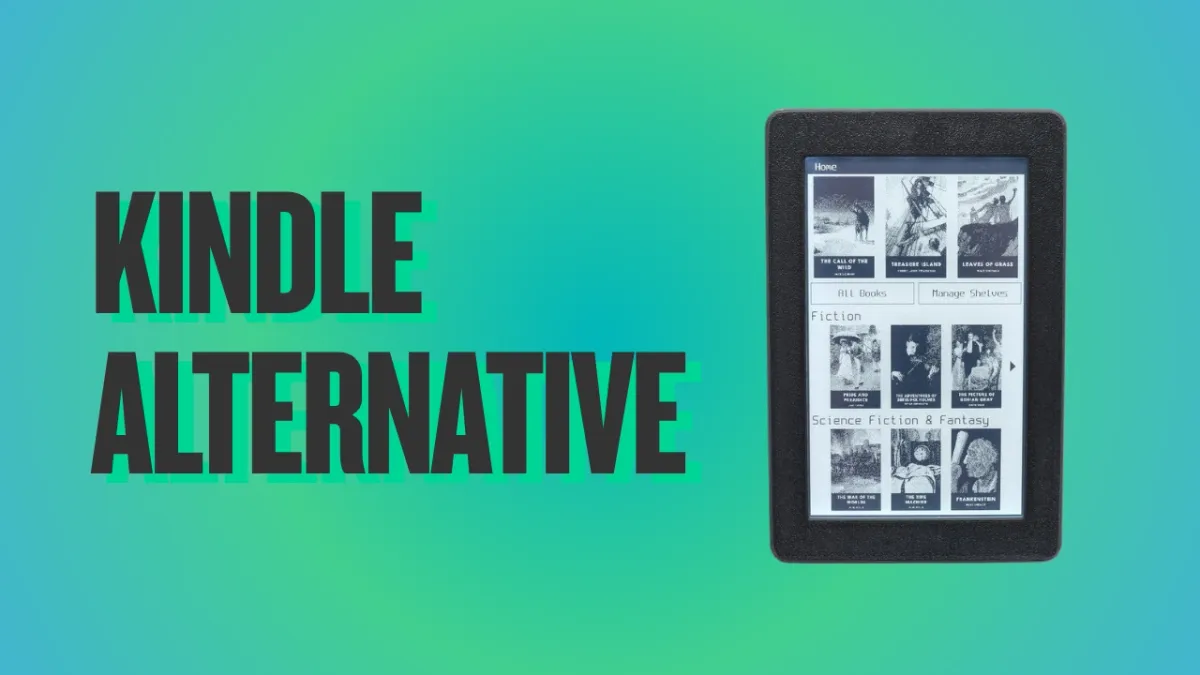
Specs:
- Display: 4.26" e-paper touchscreen, 480 × 800 px, warm + cool frontlight
- Processor: ESP32-S3 dual-core, Wi-Fi + Bluetooth LE
- Memory: 16 MB flash, 8 MB PSRAM
- Formats: EPUB and plain text, no DRM
- Storage: microSD card slot
- Interface: USB-C with integrated LiPo charging
- Dimension: 78 × 120 × 10 mm, about 85 g
- Open source: MIT-licensed firmware, open hardware (to be released at shipping)
It also has a replaceable 800 mAh battery, I found it cool :)
There is this as well which is cheaper and uses RISC-V instead
https://www.xteink.com/products/xteink-x4
Both look like great options though.
In the great debate of buttons be no buttons, please keep in mind that it was likely a decision about components. Just a screen makes it far cheaper and easier to manufacture.
I do agree, buttons or GTFO, but understand why there might not be any.
I am somehow keeping faith that the PineNote will emerge from early adoption to a fully usable e-reader and e-note device before I pass to the shadow realm. I’m sure my grandchildren will see the day.
so… a used kobo??
I have an German Tolino nice system
Yeah I’ve got a buttonless reader that I got as a gift and I’m thankful to have it but it sucks. Give me buttons.
Especially as it gets older and slower now I’ll give it swipe or tap and wonder, did it register and it’s just taking a while…? should I try again? five more times?? oh you’ve really got to let your finger linger I guess? no? huh that worked last t–oh! It’s going! Oh shoot this is way too far… so now I just have to swipe… back…, -_-
brushes against the screen “What the hell did I just hit? Where is my screen?”
taps against the spot 50 times “Respond!!”
What’s wrong with Kobo?
Nothing. I love my Kobo, I take it everywhere and it has a literal zero amount of enshittification. You can set it to sideloaded mode by connecting it to your PC which totally hides the store and Kobo’s online features. I manage my books in Calibre.
If you’re honestly asking, one thing I just read is that you need an account to use it. Not sure if that is a downside for many.
I wish people like you would have actual understanding of the things you talk about so confidently online. You’re just posting disinformation and you’re absolutely wrong.
Kobo does not need any account to use. Out of the popular mainstream eReaders, it is one of the most open. You can add non-drm ebooks to it without any issues unlike the Kindle.
I’ve been using send.djazz.se to wirelessly transfer books to my Kobo, as well as the open source Calibre program on my laptop.
No accounts required.
“I just read this” in a review of someone very upset about requiring an account, while the signup server was offline over Christmas. I’m very sorry I came off so “confidently”, I thought writing “I read this” is a reasonable indication that this is second hand knowledge not first hand. Hearsay in a court of public opinion you could say. I guess this confidence is just my natural charisma which is my undoing again lol
It might also be that this is only true for the regional distributor in my country. I suspect my country is the original inventor of enshittification.
Woah hold on. You can wirelessly transfer books to your Kobo?
This man’s ignorance may have lead to my enlightenment.
Damn I need to look into this now. That’s like the worst part. I already stream everything else from my NaS
Yep go to that url on your Kobo’s browser and then on your computer or phone and upload a file and click “kepubify” so that it converts to an epub and then send.
You’re welcome. Cunningham’s Law is proven to work flawlessly again.
No you don’t. I’ve used mine without for the better part of a year.
There are ways to skip logging-in, as I did it on my Kobo.
You do?
I reset one recently, I would have thought that the account would have been reset like the rest. Anyway it works fine with my calibre archive.
One never knows. Better to have alternatives today than to hope nothing goes downhill in the future.
Buttonless ? Fuck that 😅 I want at least a home button and page turning buttons…
I use a Kobo app on my phone. E-Ink would be nicer, but I am going to have the phone with me anyway.
Lots of people complaining about buttons, but most people are fine without them.
This thing will fail because of the tiny screen, not because of the lack of buttons.
Sad choice.
I doubt the screen size is an issue for most. The Xteink X4 is about 4 inch and is flying off the shelves right now
Fair, it is selling very well now. But strong sales after a viral release doesn’t neccisarrily mean a market norm. Could be an interesting market trend if it starts a shift to smaller, though.
Hi, if you don’t mind sharing; What do you feel is the conversion feature from kindle? I am developing on a platform with novels and want to develop user centric features; I have feature where you get assisted highlighting of words with auto scroll so you can “follow the word” and read.
I have the architectural design in place to incorporate tts for example but would love feedback from the reading communities
Conversion feature being?
Anything that converts a guest to a user due to the offering / features
I’ve heard good things about the xtink stuff, and they have buttons.
I have the xteink X4, and I adore it. Open source firmware you flash onto it yourself (crosspoint), based on esp32, much cheaper than this thing. Tiny device fitting easily into your pocket and so it goes with me everywhere and I use it all the time. Big recommend.
But can you get books to read on it? I suspect that these gadgets will get locked out of the market by the thugs.
These gadgets were locked into the market, locked out of everything else. Usually, how these things go, the community version supplies interfaces for downloading content from third parties.
Lock the gadgets out all they want. That’ll only make more interest around having all the popular new books available on platforms that thugs can’t control.
Why did I read that as 150 buttholes?
Why would you pay $150 for a 4.26" ESP32- based eReader when you could get a 4.26" ESP32-based eReader for $70 or less? The XTEink X4 is already available.
Front light
I recently picked up an Xteink X4 for $55. Flashed the Crosspoint firmware on it. Crosspoint just works and has no bloat. I love being able to set the device and send books via the self-hosted web interface. Sending books via wifi from Calibre works too.
Buttons on the reader are nice. I actually prefer not having a touchscreen for something so small. I do wish it had a front light though. This turned out to be the less-expensive-non-Android-just-an-ereader alternative to Boox that I was searching for. Loving it so far.
I did this as well, got it for the same price. The 4" screen wasn’t the issue I had feared it to be.
Can it access OPDS feeds?
Yep! I set it up with Calibre-web as the OPDS provider, can have multiple.
According to the documentation it does have ODPS. I haven’t tried it out yet.
I’d be inclined to get the cheaper one and port the firmware if the new one is better, or someone else will almost certainly make a new one that takes the best features of both.
And you have open firmware for it: https://hackaday.com/2026/04/05/pocket-sized-e-ink-gets-a-firmware-upgrade/
I’m looking for an open source ReMarkable alternative. A4 sized preferably. Any options out there?