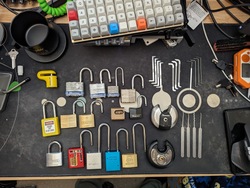
Here’s my beautiful unemployed-for-too-long-have-no-money-dont-care-about-looks lab :)

Hey it’s more than good enough to run all this ¯_(ツ)_/¯

Awesome thread !
So many cool homelabs !
Mine is a little janky with some old tech. The tower was running an old FX-8320, but the hard drive “landed” a few weeks ago.


Here is my combination lab and workbench. I have been busy trying to buy/sell/trade computers that I have become significantly behind on cleaning as I go. I also just got the network rack:

I haven’t had time between work, hustling, and home maintenance to finish getting the cabling managed or the NAS:

The goal is to get the NAS in the rack, UPS to the items in the rack, the 3D printer under the bench, and the monitors on the wall and off the bench. Then I’ll start in on plastic organizers for the bits and parts that clutter my bench.
Oooh I like :D Kernel panic?!! BAM! BAM! BAM! in the punching bag!
Stupid BAM Broadcom BAM Legacy BAM Wireless BAM Drivers BAM
Let’s be real here.
Pictures like these could make the news and people would have no idea what this stuff is used for but it looks menacing, news could be label it as wild rogue this or that and the common person would know no different and totally believe it. Feels like swatter bait for the posters. Definitely on a list atleast. Nice setups. Keep it jank. Keep it secure!
Let’s be wildly paranoid lol
This is a great thread. I had to join too!
I have my “network closet” which is like a hole in the wall where my ISP comes in:

And then my “server room” which is literally a closet. There’s a big ass old enterprise server and a 3 node laptop cluster:

Using the closet rod for that extra cable management
Perfection.
Eh, you know at work there’s one closet like that per floor :)
A little late to the party, but here’s mine.
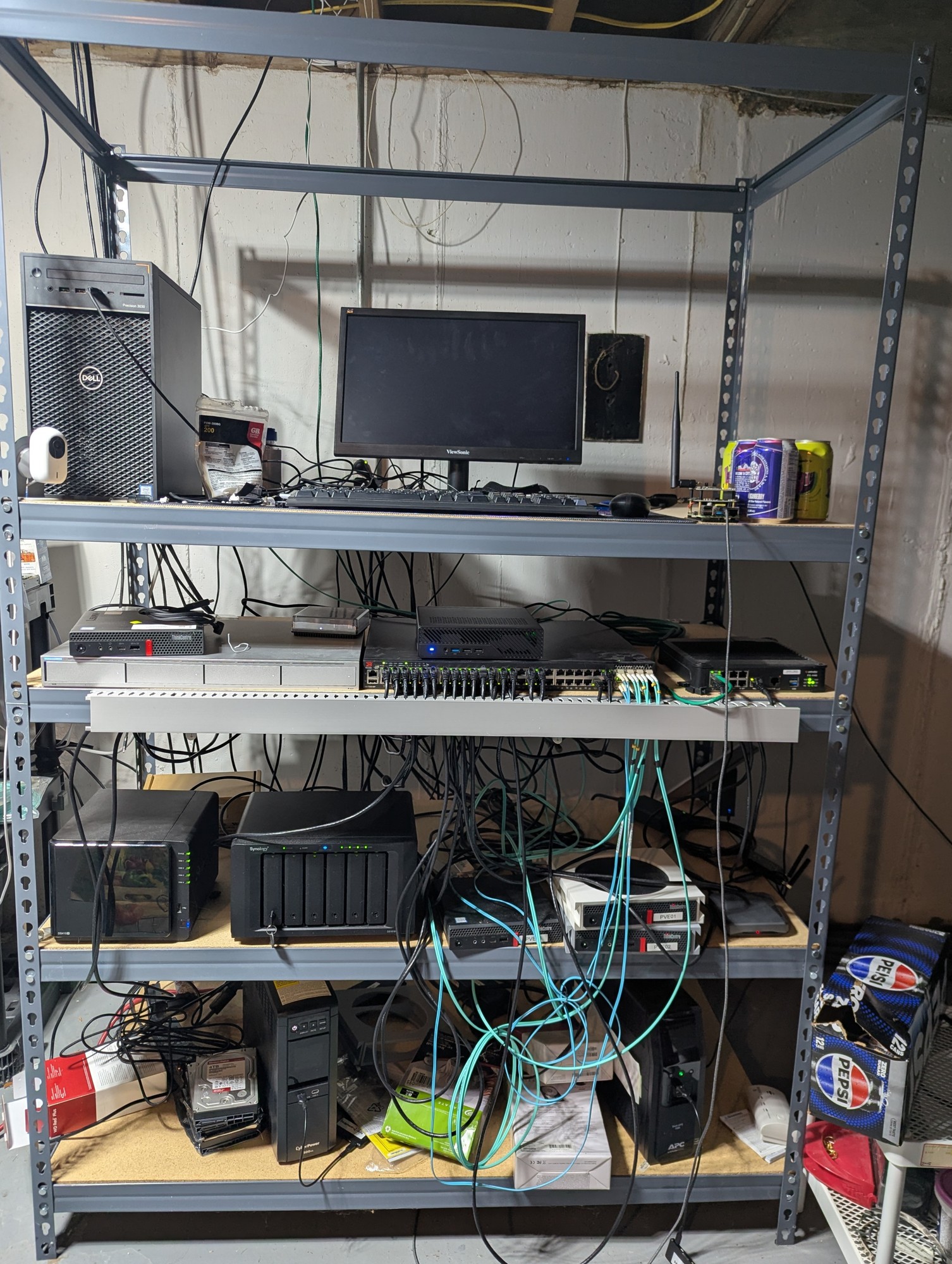
Oh yeah, now that’s a HOMElab
Love it.
What are the specs on that pepsi box? How’s it handle the load???
It’s only the mini Pepsi cans iirc, so they aren’t as load bearing as I’d like. God willing, I’ll upgrade to fanta boxes one day.
In a walk-in closet. Hdd laying on power cable to reduce vibration, works unexpectedly good.

people put too much “lab” and not enough “home” in homelab. we need more dust, more cables, more jank. love this.
more dust
Believe it or not I cleaned before taking the pic lol
I had a dusty laptop running a homelab for you, and figured I should show something nice on the screen. Then, I typed in my password like an idiot. Not gonna put that online. :(
How dejected could you be when you can bring someone such joy?
This is the best thread so far. Really enjoying seeing peoples setups! Thanks @northernlights@lemmy.today !
When did people start using the term ‘lab’ for this sort of thing, and why?
I think because it lets them see themselves as scientists or so
This guy home labs 😂
That desk is about a million times cleaner than mine.
Dust and jank you say? Behold, my old basement homelab when I rented just outside Boston with a very permissive landlord who agreed to let me have Comcast gig pro fiber pulled into the basement, running off an outlet I installed without asking on a free slot in our breaker box. The dust was terrible, the rack was a hodge podge, I had to put up that sign because maintenance guys kept plugging their power tools into the UPS when I wasn’t around and tripping it. But Comcast fucked up the billing and the 2gig + 1gig symmetric internet is still active to this day for free, which I left behind minimally working for the next tenants after parting out the rack. The tower by the side was a friend who wanted to colocate on my fiber, and I had some fun stuff like a slide out vga console. I also pulled Ethernet into every room, most of them installed with nice wall plates all bundled down to the rack, so with a house full of gamers, you could have multiple people pulling a gig on a game download without anyone stepping on anyone else’s toes.

Very nice. You guys with all the toys. I bet she’s fun tho.
Dang that’s the dream. Never move out :D
Dust and jank, you say?

Takes no space anybody cares about so it works in my book
My wife did say she didn’t like seeing all the stuff just out like that. I reminded her it was a small compromise compared to spending over $100/mo on streaming services.
Love this thread, here’s my contribution
Just a pi4B and some external drives for Linux ISOs

Bonus pic of the zigbee dongle for Home Assistant

That’s how my ZigBee dongle is mounted, except it’s resting on a shelf
It must hang for its sins (of not working when too close to the pi)
I bought a 16U rack this year to organize stuff a bit. Zigbee dongle is still installed exactly like this. I’m not convinced there’s a better solution.
You may get better signal by not folding the antenna.
Oh! So you mean pointing it downward? Would you mind explain how that works? I’m clueless when it comes to these things
Some context, the house is on two levels and this is level 0. The ceiling above is level 1. Also we’re on the edge of the house not the center, the tip of the antenna is pointing towards the center
this is the way :)
Nice cooler on the pi
Is that an EliteDesk 800 G3, G4, or G5?
800G3 it is. Not that it matters much, it’s more than a few users on a semi busy homelab need.
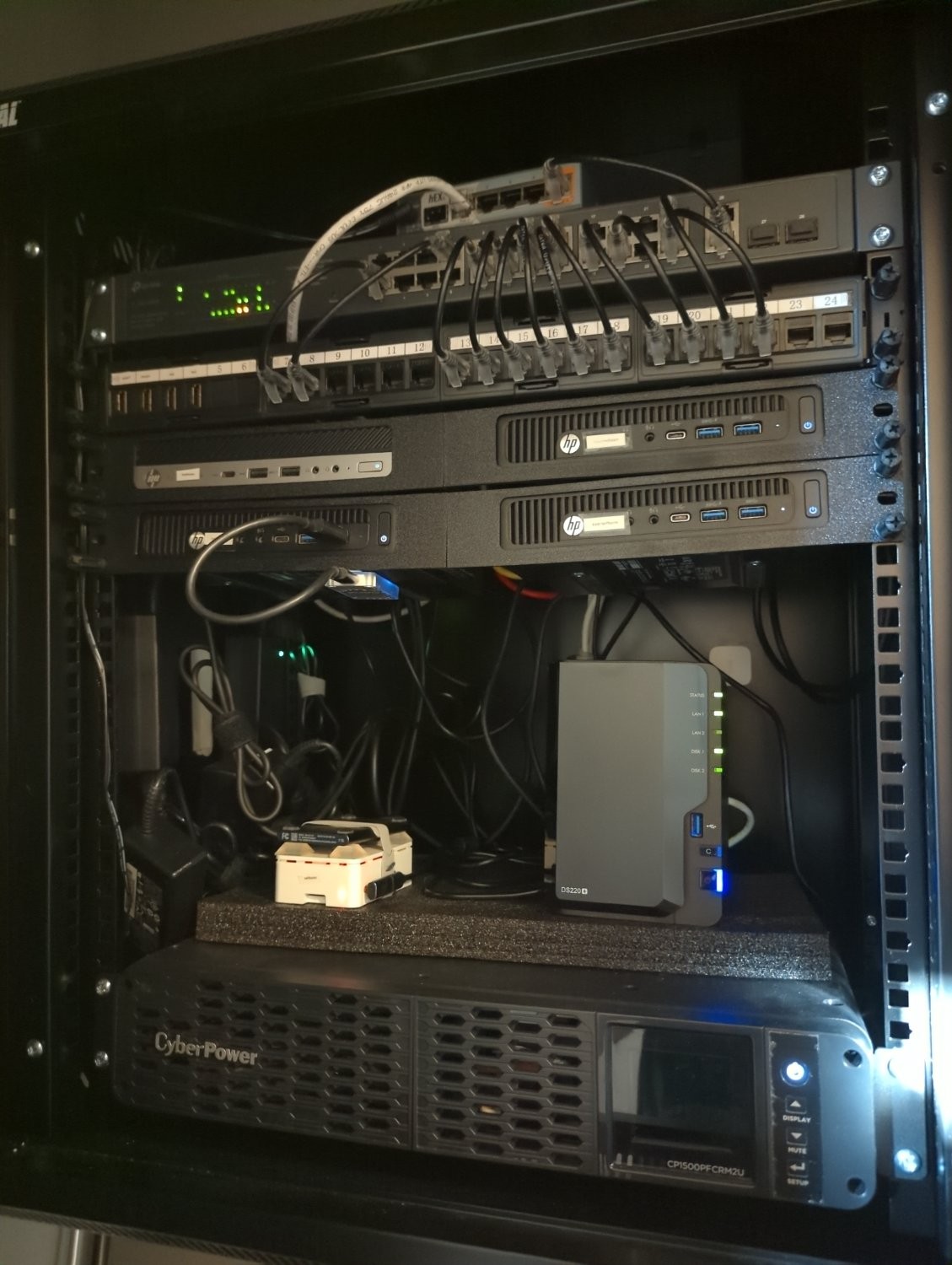 Not as clean as I would like, but way better than it started!
5 node Kubernetes cluster and a NAS. Runs about 250 pods.
What do you use for your Kubernetes build?
Also, do you have an S3 compatible storage? If not, what do you use for persistence?
I use k3s, but I’ve been considering a rebuild with Talos.
I used Minio for years but I’m currently migrating to Garage on both my NAS and my cluster. The garage operator is pretty solid.
It’s cleaner than 50% of what I’ve seen at work.
Question… I often see rack mounted servers with those small Ethernet patch cables running between two adjacent devices, like you have there. I’ve always assumed one of the devices is a switch, but it’s never made sense to me why there’s so many connections between those two.
What are those devices, and why so many connections between them? Like, as far as I can tell, in one instance you have a cable running from the top device to a small switch resting on top, which then runs from the switch to the lower device… Despite all of the other Ethernet running directly from the top to the bottom. What is going on here??
I also didn’t know, thanks to eodur’s answer I could find this video https://m.youtube.com/watch?v=lg2oGE02DJE
Yeah, one is a switch. The patch panel basically is just for organization. All the equipment in the rack and all the house runs all plug into the back of the patch panel and then the short cables allow you to more easily plug them into the switch. Its definitely not necessary, but it helps maintain the space.
And that one random device on top is the router. Maybe one day I’ll upgrade to a better one, but this one handles everything great. Its just too small to be worth mounting. Kinda like the Pi sitting on the UPS.
I like your screenshot, what distro and DE is that?
Arch, not a DE, just hyprland.
 Here my homelab.
I moved not too long ago and I am still lacking some furniture, so it’s on the floor with cables lying wild. Does not look like much but it actually covers almost all my needs.
I still need a VPS because of email ports and resident ISP not being compatible…
Here my homelab.
I moved not too long ago and I am still lacking some furniture, so it’s on the floor with cables lying wild. Does not look like much but it actually covers almost all my needs.
I still need a VPS because of email ports and resident ISP not being compatible…the hardrive just out in the wild, living life like it was meant to be lived.
What are its natural predators?
Keys, paperclips and coins… they kinda work their way towards the PCB and short out crtitical things
Cats and very young humans
gravity
beverages
drunk sysadmins
Spill your beer on it and get all three in one go!
The home server under my desk. Very professional, as you can see.

Buco seems to be having a good time. 9/10, unsure how Eaton feels.
The Eaton unit is a UPS that’s connected to the whole setup. It works really well, I can recommend it.
Oooh that’s neat.